Installation
Prerequisites:
Before using this plugin, please ensure your Collapse Launcher version is 1.83.14 or higher.
Installation Steps
-
Download the Plugin Go to the Releases page and download the latest plugin archive (
.zipfile).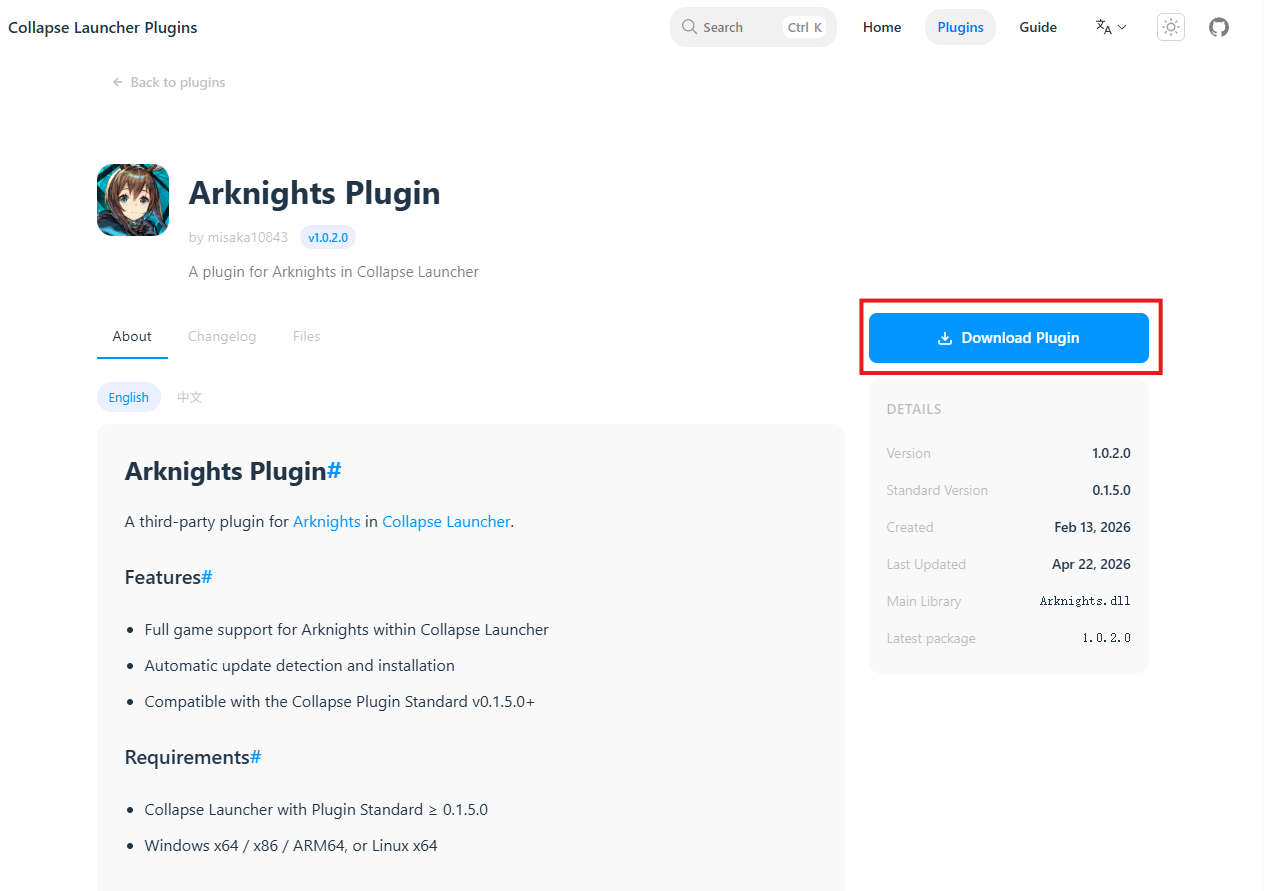
-
Enter Plugin Management Open the launcher, go to the Settings page, scroll down, and click
Open Plugin Management Menu.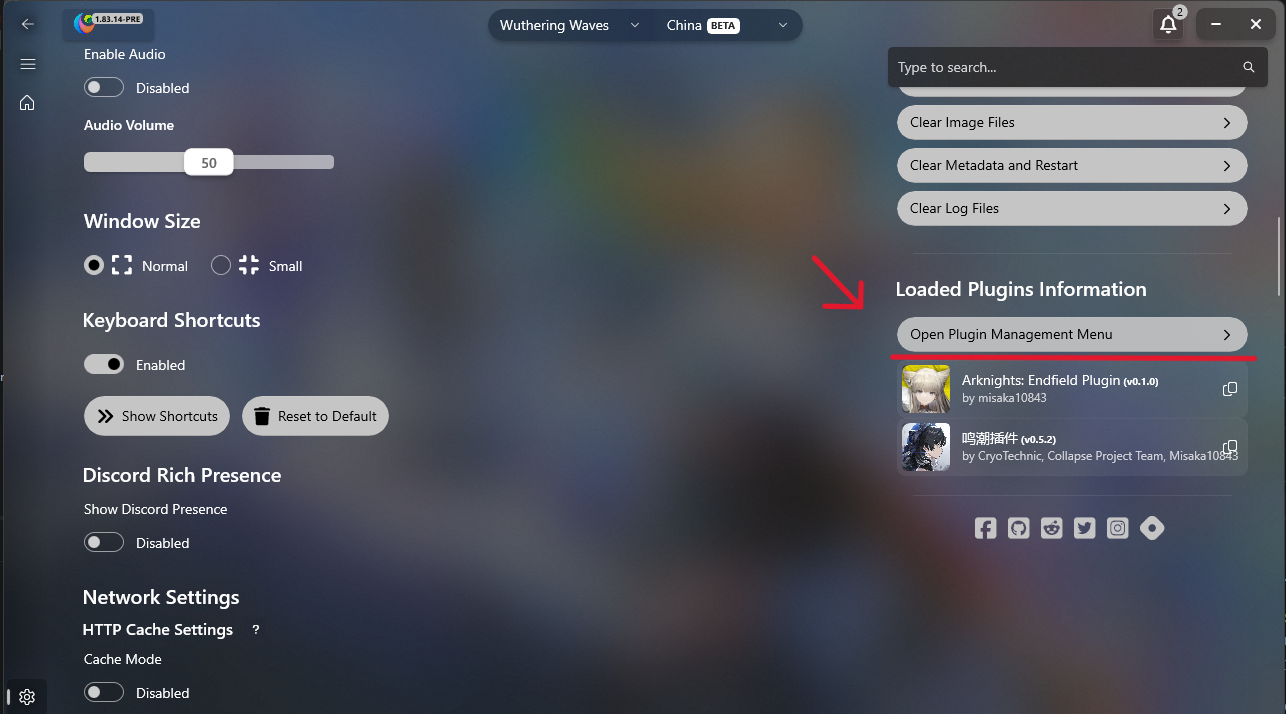
-
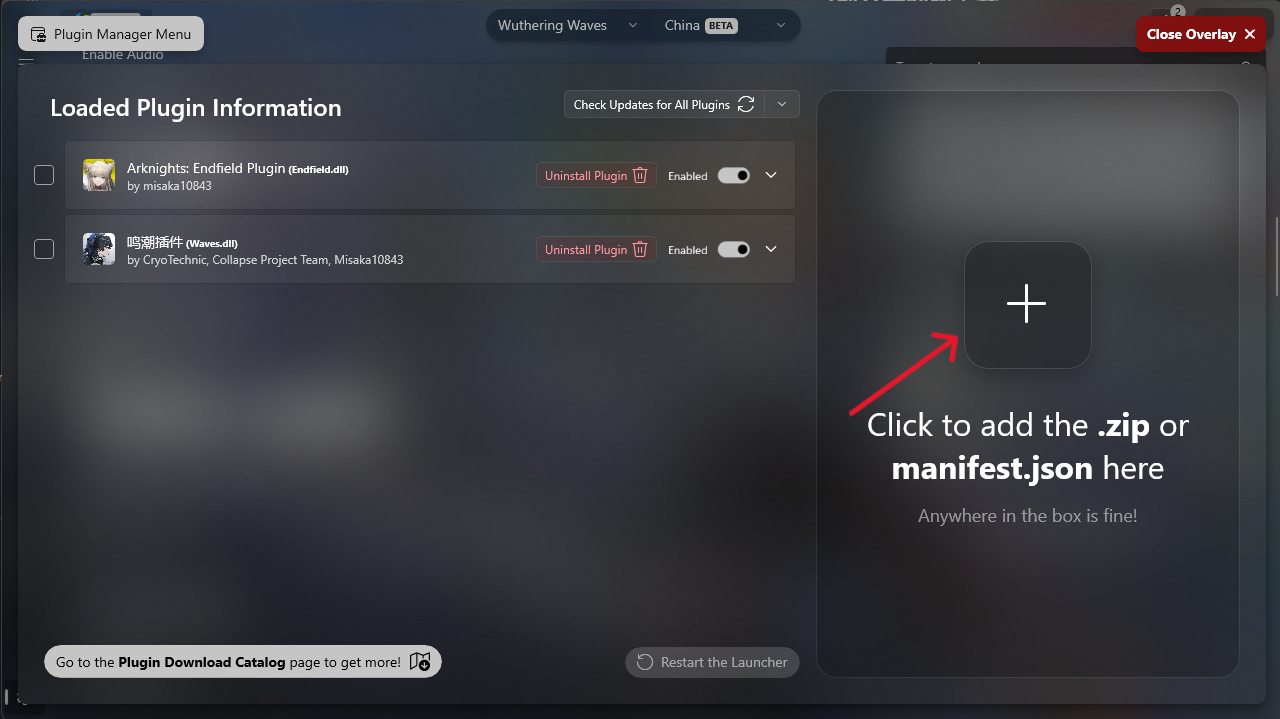
Add and Apply In the pop-up window, click the
Click to add .zip or manifest.jsonbutton and select the.zipfile you just downloaded.After adding, restart the launcher for the changes to take effect.